What’s all that about then? Dig into the menus of your Olympus camera, and you’ll likely find two different options for auto white balance. There’s the regular, default mode, and there’s another mode that says “keep warm color off”. Now, much as I love Olympus – and I’ve been shooting Olympus for long enough to be very comfortable with their complex menu options – I must confess it took me far too long to explore this one.
Turns out it’s really straightforward. In its default (“on”) setting , your camera will try to retain a warm colour balance even under warm lighting conditions such as candlelight, tungsten, or incandescent lighting. Most of the time, this is exactly what most people want – hence the sensible decision by Olympus to default the setting to “on”. But sometimes, when you want a more neutral white balance, turn the setting to “off” and you’ll get a more accurate, albeit less romantic, colour balance.
The setting only affects JPGs. If you’re shooting RAW, you can completely ignore the menu option and select white balance in your raw editor like you always do. I told you it was straightforward!
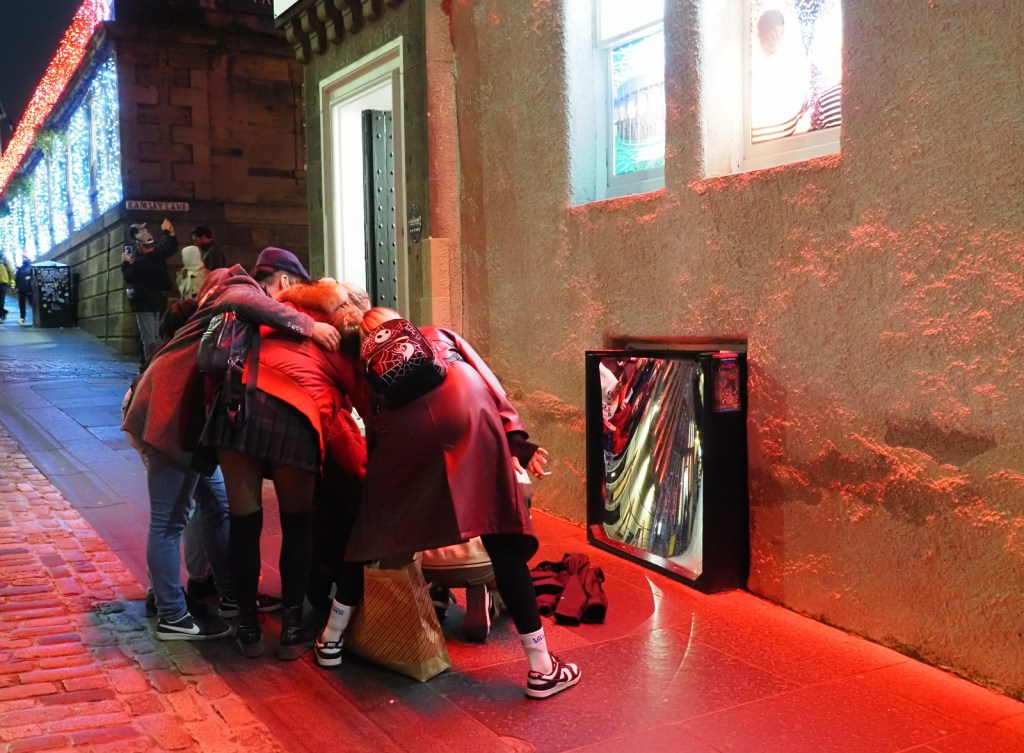
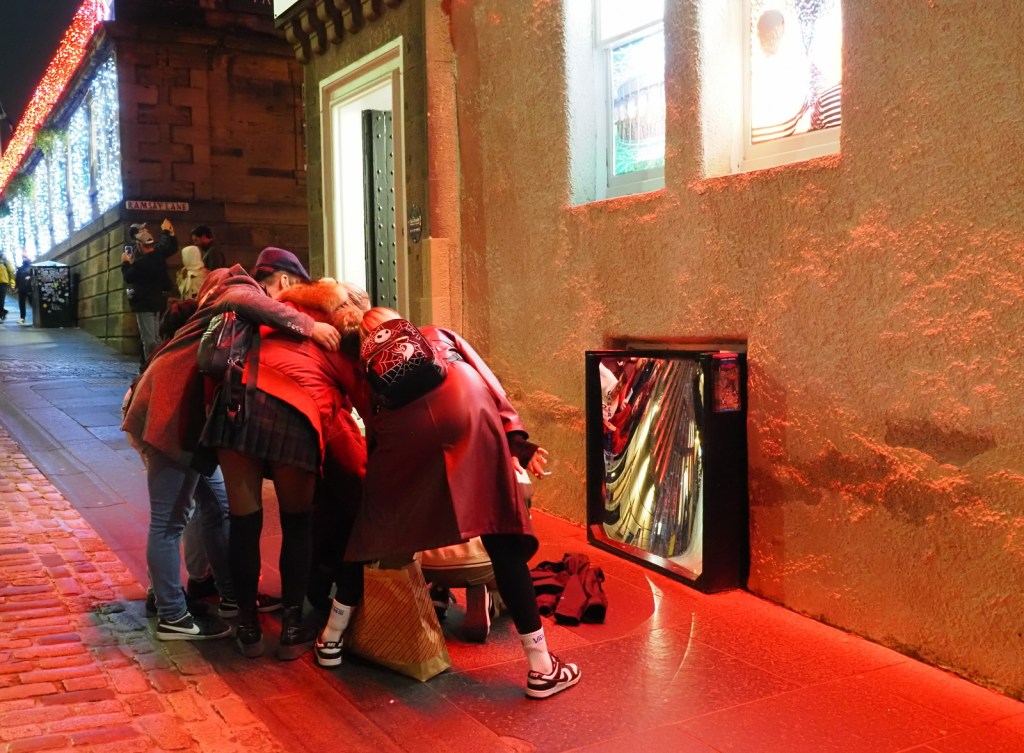
Look at the white wall. In the first image (keep warm color off) the white wall looks fairly natural. You can see the red lights reflecting off of the rough surface, but you can also see the natural white colour of the wall. The difference is subtle but I think this version has a more documentary feel.
In the second image (keep warm color on) the street lighting bathes the white wall in a warm glow. I think this version of the photo has a more “snapshot” feel.
As ever with photography, there’s no right or wrong here. I usually leave this setting defaulted to “on”, and only switch it off when I’m aiming for a more journalistic style.
 My Camera Stories
Leave a comment