It’s often overlooked, but ACDSee Photo Studio remains a great choice for many people looking to manage, process, and edit their growing photography collections. Since it was launched in 1994 (over 30 years ago!) it’s been continuously developed and updated into a mature DAM (digital asset manager), RAW processor, and layer-based pixel editor.
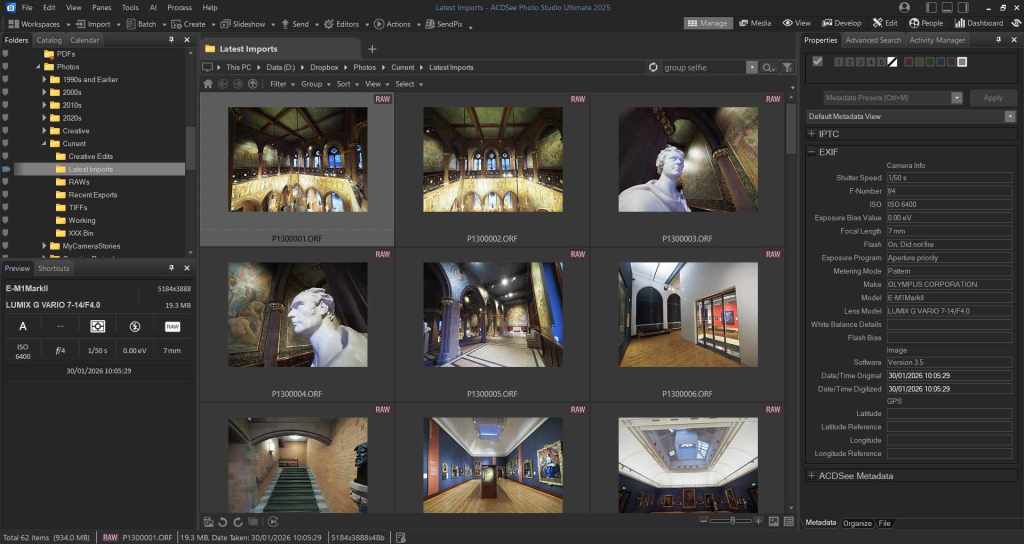
The ACDSee website, as you would expect, does a good job of highlighting the differences between the various versions of ACDSee Photo Studio, but it also gets a little bogged down in detail. Looking at the big picture, this is my attempt to answer the question: what version of ACDSee should I buy?
Just to be clear, this guide is for Windows users. There is only one version of ACDSee for Mac, and it’s called … ACDSee Photo Studio For Mac. Bit if you’re a Windows user, read on.
ACDSee Photo Studio Home
This is the cheapest and most basic version of ACDSee Photo Studio, and it’s a great choice for people looking to get a comprehensive photo management tool at a great price. If you fondly remember Picasa, and find yourself thinking “that’s what I want”, then ACDSee Photo Studio Home is the one for you.
What you get with ACDSee Photo Studio Home
ACDSee Photo Studio Home gives you a comprehensive set of tools for managing your photos, and a more basic set of tools for editing them. You can view a wide range of photo formats including RAWs, and you can add keywords, tags, ratings etc.
What you don’t get with ACDSee Photo Studio Home
ACDSee Photo Studio Home doesn’t offer a RAW processor. The editing tools are basic, and there is no option to use layers when editing photos. And while there is a comprehensive set of tools for editing IPTC tags and EXIF information, you can only do this to a single image at a time. If you don’t need any of this – or if most of this paragraph just reads like gobbledegook – then stop reading now, because ACDSee Photo Studio Home does everything you need.
ACDSee Photo Studio Pro
The Pro version of ACDSee Photo Studio does everything in the Home version, with an additional set of tools for more advanced photographers. First up, there’s a powerful RAW processing engine. The AI presets are excellent, and the colour grading tools are some of the best available.
The other big step forward is the improved metadata management. With ACDSee Photo Studio Pro, you can batch edit both IPTC and EXIF metadata. That’s ideal for changing the time in your photos if you’ve forgotten to adjust to local time when arriving at your destination. It’s useful, too, for adding GPS data to a batch of photos.
What you don’t get with ACDSee Photo Studio Pro
The biggest omission from ACDSee Photo Studio Pro is layered photo editing. For many people, this won’t be a problem. Affinity Studio (free) offers a comprehensive set of tools for layered photo editing. In my experience, it’s more powerful, and easy to use than versions of ACDSee which offer layered editing, and it integrates well with ACDSee Photo Studio Pro. For that reason, my recommendation for most photographers considering ACDSee is that they should buy ACDSee Photo Studio Pro, and partner it with Affinity Studio for those occasions when they need to use layers.
ACDSee Photo Studio Ultimate
The Ultimate version of ACDSee Photo Studio includes everything in Home and Pro, with the addition of layered photo editing. There are also some AI tools, which aren’t available in the other versions. In my experience, ACDSee Photo Studio Ultimate is the best choice for people who want an all-in-one solution.
In fact, this is the version I bought last time I upgraded in 2025. Realistically, I over-bought. I never use the AI tools in Ultimate, and I prefer Affinity Studio over ACDSee for layered editing.
If you see yourself regularly using the AI tools, or if you really want to avoid having to use two separate apps, it’s a great choice. But for most serious hobbyists, my experience is that ACDSee Photo Studio Pro, plus Affinity Studio is a better option.
What about Gemstone?
ACDSee Gemstone is purely a layered photo editing tool, without any of the photo organising tools offered by ACDSee Photo Studio. Personally I prefer Affinity Studio, but your mileage may vary.


 My Camera Stories
Leave a comment